Windows 10 and Windows 11 ship with a feature known as the Windows OCR under the hood. Windows OCR, short for Windows Optical Character Recognition, is a pretty nifty ability since it can be used by apps to lift the text from the pixels in images and copy it to your clipboard. Unfortunately, though there's … Continue reading How to use Windows OCR with Text Grab in a few easy steps
Category: Uncategorized
Does Windows 10 have OCR software?
Optical Character Recognition, or OCR for short, is a pretty nifty feature. Thanks to OCR, you can copy and turn whatever you see in an image on your PC into a piece of editable text. It could be a scan of receipt, something from an instructional video on YouTube, or something from a simple PDF … Continue reading Does Windows 10 have OCR software?
How to install Tesseract OCR in Windows
Once you have WinGet installed, you can install Tesseract via WinGet with a simple command. Open a PowerShell or Command Prompt window and type the following command: winget install -e --id UB-Mannheim.TesseractOCR This will install the latest version of Tesseract and its dependencies on your system. You can verify the installation by typing the following … Continue reading How to install Tesseract OCR in Windows
Can Windows Scan a QR code?
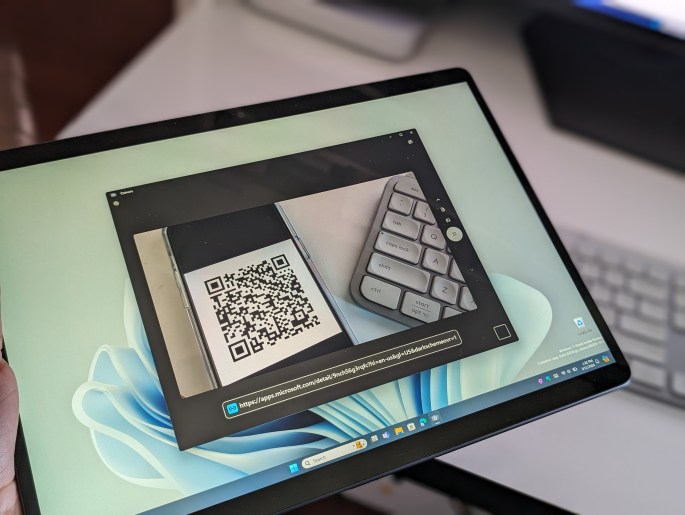
QR codes are becoming more and more prevalent in society these days, providing a quick and easy way to get to link to a webpage, or even share information like a Wi-Fi network. It has become common practice for a phone app to have the option to scan the information in a QR code, but … Continue reading Can Windows Scan a QR code?
What is Windows OCR and how do apps use it?
There's many cool inner workings that make Windows run smooth everyday, but are you wondering what is Windows OCR? There's a chance that you've probably heard of this one way or another anyway, as apps like OneNote support the OCR natively. Well, to answer that question, Windows OCR is short for Windows Optical Character Recognition. … Continue reading What is Windows OCR and how do apps use it?