
The release train never ends. In this latest version there are a couple of key features which are laying the ground work for the next bigger. The three big features are:
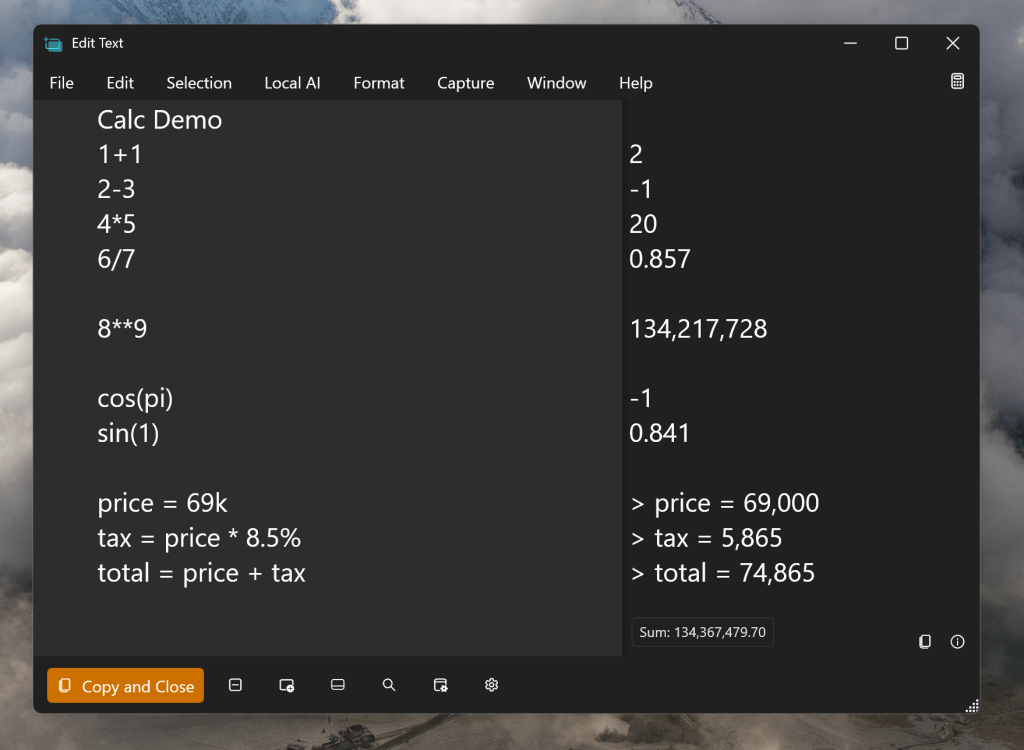
- Calculation Pane in the Edit Text Window
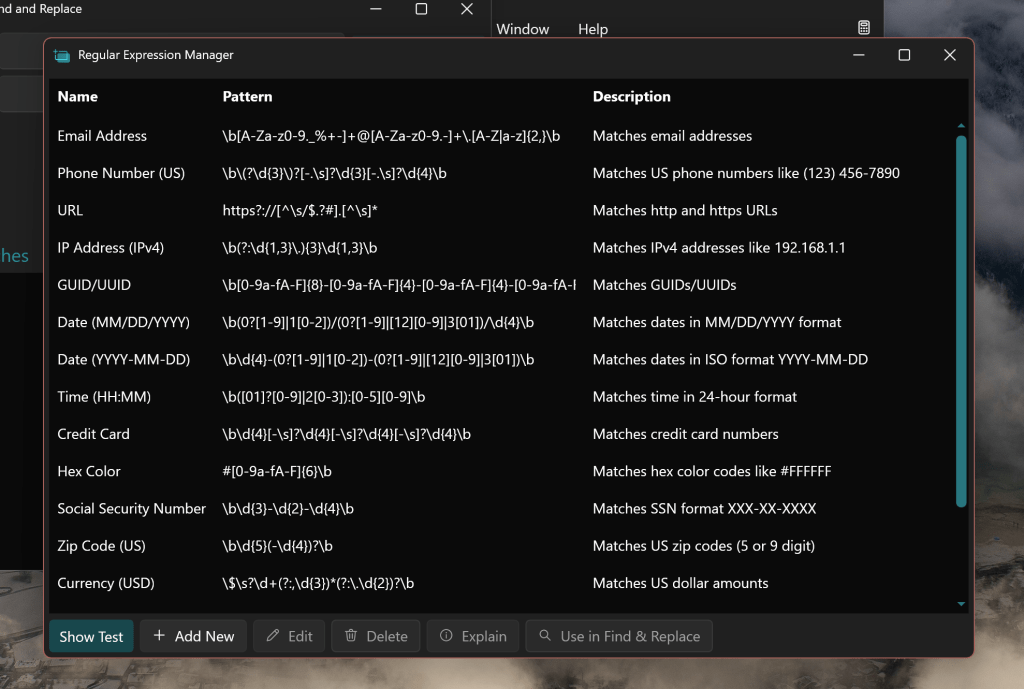
- Regular Expression (RegEx) Manager
- Zooming on the Fullscreen Grab
Something I’ve wanted in Text Grab for awhile now is the ability to do basic math operations. I loved this as a tool in OneNote and wanted to do even more with updating, aggregation and variable names. Another major inspiration for this feature was the excellent Mac app, Soulver: https://soulver.app/
In addition to wanting to be able to perform calculations, I’ve wanted the ability to save and recall RegExes quickly and easily. Now starting from the Find and Replace dialog, you can open the RegEx manager and select from the starting expressions, modify them, and make your own! These will be popping up in more places so keep an eye out for future releases!
Finally, when selecting an area on the screen from the Fullscreen Grab a more precise selection usually means less clean up work. So now you can zoom in by scrolling the mouse wheel or pinching and zooming when the Fullscreen Grab is active! This makes it easier to precisely select exactly what you’re looking to grab!

The next major features coming to Text Grab will be centered around how to make getting the value out of text automatically with fewer steps and more speed! If there is anything about Text Grab you’d like to change or improve, head over to the GitHub and open an issue, I’m very active in there! https://github.com/TheJoeFin/Text-Grab
Happy Text Grabbing!
Joe
 JoeFin Apps
One thought on “Text Grab v4.11 what’s new and what’s next?”