
Not if your CPU is a 7th generation Intel.
With the Windows 10 end of life deadline looming I bought a $20 TPM 2.0 chip to see if that would be enough to meet the minimum requirements of Windows 11. My desktop is a Gigabyte GA-Z170X-Gaming 7 ATX LGA1151 Motherboard with an Intel Core i7-7700K. I have known for years that these components are not compatible with Windows 11, however the PC still works great, so there is no value to upgrading.
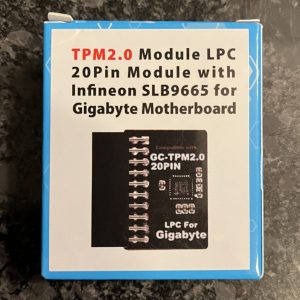
A major new minimum requirement for Windows 11 was TPM 2.0 which is not included with 7th gen Intel. So what if I bought a TPM 2.0 chip and added it to my motherboard?

I installed the TPM 2.0 chip on the motherboard, booted up, confirmed it was showing up correctly in Windows, ran the Windows 11 compatibility check again… and nope. Not compatible.
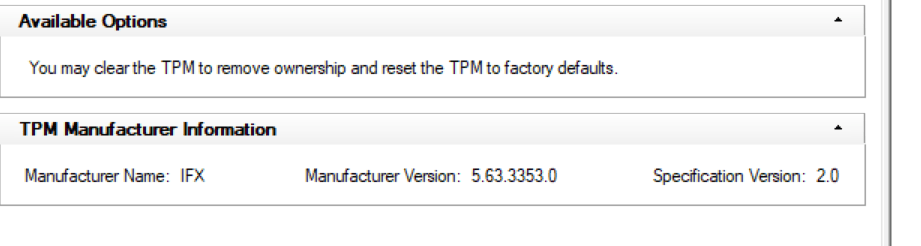
So if you were curious if you can make your Windows 10 device compatible by installing TPM 2.0, let me save you $20, you can’t. It isn’t about TPM 2.0, you need to go buy a new device.
If you have had a different experience let me know. I am curious if there are any hardware configurations which adding TPM 2.0 would make a difference.
Joe
 JoeFin Apps
Funny I just came across this, hours after upgrading the wife’s rig from windows 10 to 11. She is using my old Ryzen 1700; still a beast of a CPU for being almost 8 years old. Her b350 motherboard does have TPM 2.0, so this was not a factor. But the 1700 was posted as an unsupported CPU and could not update the “normal” way through the PC health utility. I upgraded through an ISO flash and had to use command prompt to bypass it caring about the CPU configuration, but managed to upgrade to windows 11. It has processed 5 different windows updates since upgrading, and been nothing but smooth sailing thus far. If you’re interested, there are tons of helpful videos walking you through this upgrade. Best of luck!
LikeLike